

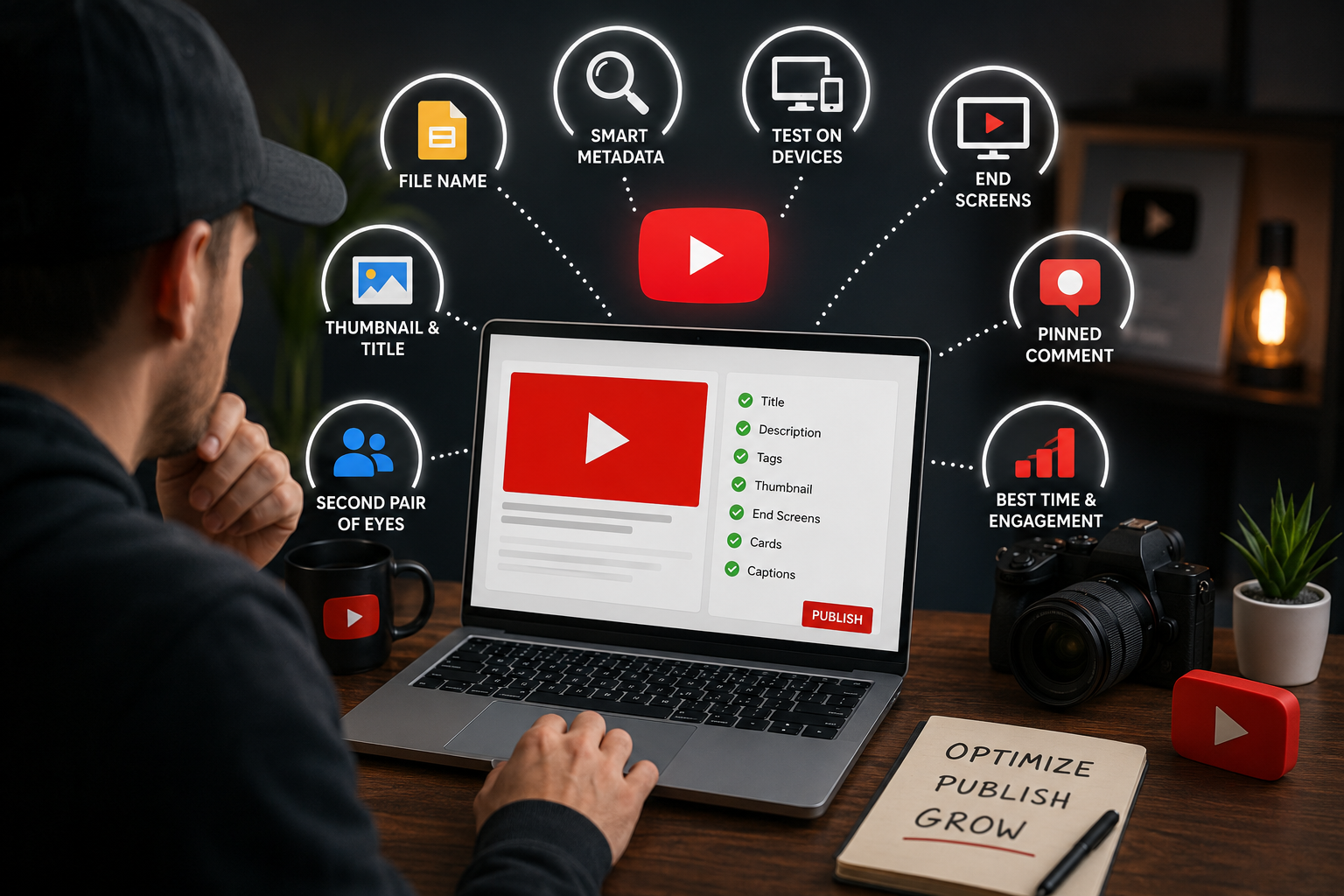

Why It’s Important to Optimize YouTube Videos Before Publishing (And How to Do It Right)
Here’s something most creators skip: optimizing your YouTube video before hitting publish is just as powerful as the video itself. If you’re not doing this, you’re leaving views, subscribers, and reach on the table every single upload.
Let’s be real. You’ve spent hours scripting, filming, and editing your video. The last thing you want to do is mess around with settings and metadata. But here’s the truth skipping pre-publish optimization is one of the biggest reasons great videos don’t perform. YouTube needs signals to understand your content. Without those signals, even the best video gets lost in the algorithm.
This guide is for you the creator who’s serious about growing. We’ll walk through exactly why it’s important to optimize YouTube videos before publishing, and what you need to do so your next upload has the best possible shot at reaching the right people.
The Algorithm Needs Context — Give It What It Wants
YouTube’s algorithm doesn’t watch your video the way a human does. It reads signals your file name, title, description, tags, category, thumbnail, transcript, and more. When all these signals line up and point to the same thing, YouTube gets confident about who to show your video to.
Think of it this way: if you’re making a video about smartphone photography tips, every piece of metadata should reflect that. The moment there’s a mismatch say, your file name is “final_export_v3” and your tags are vague YouTube gets confused. And a confused algorithm equals fewer views.
One creator used all 7 pre-publish optimization steps consistently and crossed 1 million subscribers. The process matters more than most people realize.
Now let’s go through what you actually need to do before you hit that publish button.
1. Name Your Video File with Your Target Keyword
This one surprises a lot of people. Before you even upload, rename your actual video file and your thumbnail file to include the keyword you’re targeting. YouTube reads file metadata as one of its earliest signals about what your video is about.
For example, if your video is about budget travel in Southeast Asia, your file name shouldn’t be “Travel_Edit_FINAL.mp4”. It should be something like “budget-travel-southeast-asia.mp4”. Do the same with your thumbnail file. It’s a small thing, but every data point helps YouTube point your content toward the right audience.
2. Guide YouTube to the Right Audience with Smart Metadata
Your title, description, and tags work together as a metadata package. Here’s a simple framework that works really well:
Your primary keyword should appear once in the title, twice naturally in the description, and at least five times across your tags. Not forced naturally. If you’re writing about your keyword and it reads weird or robotic, rewrite it.
Your title needs to do two things: spark curiosity and accurately describe the video. People click because of titles, they stay because of content. Don’t mislead, but don’t be boring either.
For your description, think of it as a mini-blog post about your video. Introduce the topic, mention what viewers will learn, include relevant keywords naturally, and close with your links, playlist, and hashtags. YouTube also uses this to understand context so the more detailed and relevant, the better.
For tags, use a free tag generator if you’re stuck. Put in your title and let it pull keyword-rich tags for you. Copy them over and you’re done. Keep them relevant — don’t add random high-traffic tags that have nothing to do with your content.
Only 17% of the world speaks English. Enabling automatic dubbing before you publish could literally give you 5x the reach in certain niches. Turn it on.
3. Test Your Video on Different Devices Before Posting
Set your video to ‘Unlisted’ before it goes live. Then open it on your phone, your tablet, and your desktop. Watch the first 30 seconds. Does the thumbnail look clean at a small size? Is the audio clear? Does the text in your video read well on a small screen?
Most people skip this entirely and then wonder why their audience drops off early. Catching a bad thumbnail crop or a low-volume audio issue before going public saves you from hurting your video’s performance right out of the gate. Those first few hours after publishing are critical you want everything working perfectly.
Also use this time to check your end screen and cards. Make sure the links aren’t broken and the elements don’t cover important visuals in your video.
4. Set Up End Screens to Keep Viewers Watching More
Before you publish, go into your video’s end screen section and add at least one video recommendation. This is how you create what’s called a ‘view train’ where viewers finish one video and naturally flow into another of yours.
Here’s a tip that’s been working well: instead of giving viewers two or three choices, just give them one. Research shows that too many options often leads to no click at all. YouTube has a ‘Best for viewer’ option that automatically suggests the most relevant video use that if you’re unsure.
For YouTube Shorts creators, you can also link your short to a long-form video. So whenever someone watches your short, your long-form video appears as a recommended next step. This cross-linking is underused and extremely effective.
5. Use a Pinned Comment Strategically
Here’s something most creators haven’t thought about: pin a comment to your video before it even goes public.
Set your video to ‘Unlisted’, go in and leave a comment, then pin it. This comment sits at the top of your comment section the moment your video goes live. Use it to send people to a related video, encourage subscribing with an auto-subscribe link, or promote your freebie or offer.
The moment your video goes live and people start watching, they’ll see your pinned comment. If others start replying or saying they already subscribed, it creates social proof — which nudges more people to do the same. It’s a tiny thing that compounds over time.
6. Prepare Backup Thumbnails and Titles
Here’s something smart to do before every upload: create two or three different thumbnail versions. YouTube’s algorithm tests thumbnails against each other and selects the one with the best click-through rate. If you only upload one thumbnail, you’re missing out on that testing phase.
Same goes for titles. Have two or three variations written out. You may not use all of them right away, but if your video is underperforming a week in, a thumbnail or title change can dramatically shift its performance. Having options ready saves you time when you need to act fast.
For thumbnail inspiration, look at what’s already working in your niche. Find viral videos on similar topics and study what their thumbnails have in common color contrast, facial expressions, bold text, clean backgrounds. Then build something original that follows those same principles.
7. Get a Second Pair of Eyes Before You Post
If you have a creator friend or anyone in your niche, send them the unlisted link and ask for honest feedback. Not ‘is this good?’ be specific. Ask them: ‘Would you click this thumbnail if you saw it in your feed? Does the title make you curious?’
Even one person’s outside perspective can catch things you’ve been too close to the video to notice. Maybe the intro is too slow. Maybe the title sounds vague. Maybe the thumbnail text is too small. A five-minute review from someone else can save your video’s performance.
8. Choose the Best Upload Time — and Stay Engaged After Posting
Timing matters more than most people think. If you have an existing audience, go into YouTube Studio > Analytics > Audience and look at when your viewers are most active. Post during the first hour of that peak window.
If you’re brand new and don’t have enough data yet, 11:00 AM and 7:00 PM in your target audience’s timezone are solid starting points. Experiment from there and track what works.
Once your video goes live, don’t just walk away. Stay active for the first hour. Reply to every comment that comes in. Like comments. Ask a follow-up question. Early engagement signals to YouTube that your content is sparking conversation and that helps it get pushed to more people.
The first 24 hours after posting are make-or-break for your video. Treat them like a launch, not a passive upload.
The Bigger Picture: Why Pre-Publish Optimization Builds Long-Term Growth
Every step we’ve covered is essentially teaching YouTube about your content. When YouTube understands your video who it’s for, what it’s about, why people should watch it it does the distribution work for you. That’s the whole point.
When you optimize consistently across every upload, something interesting happens: your channel builds a reputation with the algorithm. YouTube starts recognizing the pattern your content matches your metadata, your audience stays engaged, your watch time is strong. Over time, the algorithm begins to trust your channel and pushes your videos further than before.
Creators who skip these steps are essentially asking YouTube to guess. And guessing means the wrong audience, lower retention, and slower growth.
How NexTech Ads Helps You Reach the Right Audience, Faster
Even with perfect optimization, organic growth takes time. That’s where NexTech Ads comes in. As a YouTube promotion service, NexTech Ads helps creators advertise their videos directly on YouTube getting them in front of the right audience based on interests, search behavior, demographics, and more.
Think of it as giving your optimized video a running start. Instead of waiting for the algorithm to slowly figure out who should see your content, NexTech Ads puts your video directly in front of people who are already interested in your niche. This means faster reach, higher engagement, more subscribers, and meaningful channel growth not just random views.
Whether you’re a new creator trying to get your first 1,000 subscribers or an established channel looking to scale, NexTech Ads gives you a strategic advantage. Your great content deserves a great audience and that starts with making sure the right people actually find it.
Pre-publish optimization sets the foundation. NexTech Ads accelerates the results. Together, they’re the most effective growth strategy on YouTube right now.
Frequently Asked Questions
Q: Does renaming my video file really help with YouTube SEO?
Yes, it does even if the impact is small. YouTube can read your file name as metadata, and it’s one of the earliest signals it uses to categorize your content. Naming your file with your target keyword is a quick, zero-cost optimization worth doing every time.
Q: How long before publishing should I set my video to unlisted?
Ideally, give it 2 to 24 hours. This window lets YouTube process your video, read all the metadata, and start building an audience profile before the video goes public. When it does go live, the algorithm already has enough data to start pushing it to the right people.
Q: How many hashtags should I add to my YouTube description?
Anywhere from 3 to 5 is the sweet spot. While YouTube allows up to 60, using too many can look spammy and dilute relevance. Keep your hashtags closely related to your video topic and primary keyword.
Q: Is posting time really that important?
More than most people realize, especially in the early hours after publishing. Posting when your audience is most active leads to faster initial engagement, which signals to YouTube that your video is performing well triggering wider distribution.
Q: What does NexTech Ads actually do for YouTube creators?
NexTech Ads runs YouTube video advertising campaigns that place your content in front of a targeted audience based on interests, demographics, and viewing behavior. It’s a paid promotion service designed to increase reach, boost engagement, grow subscribers, and accelerate channel growth faster than organic methods alone.
Q: Can I optimize a video after it’s already published?
Absolutely. Updating your title, description, tags, and thumbnail after publishing can revive an underperforming video. However, doing it before publishing is always better since YouTube processes the metadata from the very first moment your video is indexed.
Final Thought
Every video you publish is an opportunity and optimization is what turns that opportunity into actual results. The steps above aren’t complicated, but they require consistency. Build them into your upload routine, and you’ll start seeing the difference within a few uploads.
And when you’re ready to go beyond organic growth, NexTech Ads is here to help you reach more of the right people, faster. Because your content deserves to be seen.