

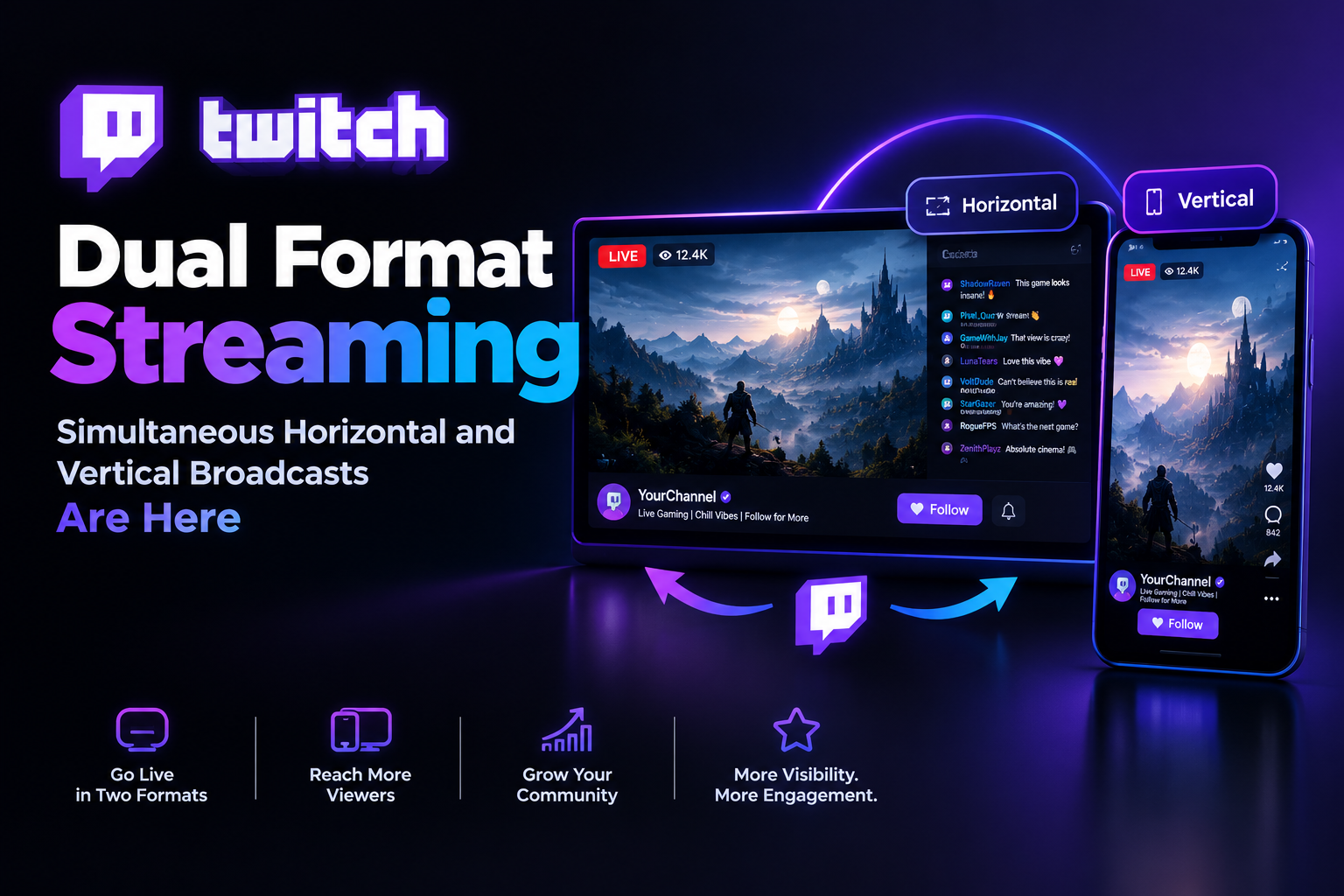

If you’ve been streaming on Twitch for a while, you already know the tension. Your desktop viewers expect the classic widescreen experience they’re used to. But more and more of your audience especially newer viewers is coming in on mobile, holding their phones upright, watching a stream that was clearly never designed for that orientation.
You couldn’t fix it before. Now you can.
In June 2026, Twitch officially rolled out one of its most significant streaming upgrades in years: Dual Format streaming. One broadcast. Two layouts. Both live at the same time. It’s the kind of feature that sounds obvious once a platform finally does it and it changes quite a bit about how creators can think about reaching their audience.
Let’s break down exactly what happened, what it means for you, and how to actually get it set up.
What Is Twitch Dual Format Streaming?
Dual Format is Twitch’s new simultaneous horizontal and vertical broadcast system, announced at TwitchCon Europe 2026 in Rotterdam and officially rolled out on June 17, 2026.
Here’s the simplest way to understand it: when you go live with Dual Format enabled, Twitch simultaneously delivers two versions of your stream. Desktop viewers see your traditional 16:9 horizontal layout the same experience they’ve always had. Mobile viewers who hold their phone vertically see a full-screen 9:16 vertical layout, optimized specifically for portrait mode. If a mobile viewer prefers the horizontal view, they can just rotate their device and get it.
One stream. Two outputs. No compromise on either end.
This is not the same as simply cropping your horizontal stream into a vertical box. The vertical layout is a separately designed canvas that you configure yourself, giving you full control over what mobile viewers see. Your facecam, your game capture, your overlays you decide how they’re arranged for the vertical frame.
And importantly, Dual Format comes with an automatic bonus for clips and VODs: with Dual Format enabled, every clip and VOD you create automatically generates both a horizontal and a vertical version. That means no post-stream editing to repurpose your best moments into vertical clips for TikTok, YouTube Shorts, or Instagram Reels. The vertical version is already there.
Why Twitch Did This And Why It Matters
The numbers tell the story pretty clearly. 70% of new viewers are coming to Twitch on mobile, and that percentage has been climbing steadily. The traditional Twitch experience was built for desktops and TV screens long-form horizontal streams, chat on the side, full keyboard access. That experience is great for the viewers who grew up with it. But for someone discovering Twitch for the first time in 2026, they’re probably doing it on their phone, in portrait mode, and a landscape stream that requires them to rotate their device is an immediate friction point.
Twitch has been slower than its short-form rivals to adapt to mobile-first viewing habits. TikTok, Instagram Reels, and YouTube Shorts have spent years conditioning audiences to expect vertical video as the default. Clips from Twitch streams that got shared on those platforms always looked slightly awkward either cropped in ways that cut off important content, or letterboxed with black bars. Dual Format addresses that friction directly.
Testing shows that vertical layouts stand out in the mobile feed and drive more clicks into streams, which is ultimately what Twitch wants more people discovering and engaging with live content. For creators, that’s a real opportunity: the mobile feed placement that Dual Format unlocks is now a genuine discovery surface, not just a worse version of the desktop experience.
About Twitch: The Platform Powering All of This
For anyone newer to the streaming world, a quick orientation. Twitch is the world’s leading live streaming platform, founded in 2011 and acquired by Amazon in 2014. It hosts live streams across gaming, music, art, sports, cooking, talk shows, and just about everything in between. With approximately 70 million monthly active users browsing the platform and millions of hours of content streamed every day, it’s the dominant destination for live interactive content.
What sets Twitch apart from video platforms like YouTube is the live, communal nature of the experience. Chat moves in real time. Viewers interact directly with creators through chat, subscriptions, Bits (Twitch’s virtual currency for cheering), and gift subscriptions. Hype Trains bring the whole chat together to celebrate creator milestones. Raids let streamers send their audience to another creator when they’re done live. The whole ecosystem is built around real-time connection, not passive consumption.
Dual Format is significant precisely because it extends that real-time community experience to mobile viewers in a format that actually works for how they hold their phones.
Why Streamers Should Care About Dual Format
Beyond the technical novelty, Dual Format represents a strategic opportunity that streamers at every level should take seriously.
Dual Format broadcasts improve audience engagement rates overall, and those streams support Twitch’s communal Hype Train celebrations. That’s not a coincidence it’s Twitch signaling that mobile-optimized content is a priority the platform is actively promoting within its own features.
The vertical feed on Twitch’s mobile app also represents a discovery surface that previously didn’t exist in a meaningful way for live content. Vertical layouts stand out in mobile feeds, which means Dual Format streams have a structural advantage in visibility compared to traditional horizontal-only broadcasts viewed on mobile. In a platform where small streamers have historically struggled with discoverability, that’s a meaningful edge.
For creators who are already posting clips to TikTok, YouTube Shorts, and Instagram Reels to drive traffic back to Twitch, the automatic vertical clip generation is enormous. Instead of spending time after every stream manually editing clips into portrait format, Dual Format handles it in the background. That’s hours returned to your schedule every week.
Is Twitch Free? What Does It Cost to Stream?
Creating and streaming on Twitch is completely free. You can sign up for an account, download OBS, and go live without spending a single dollar. Viewers can watch Twitch streams for free as well.
The monetization side of Twitch is where different tiers come in. Twitch Affiliate status which unlocks subscriptions, Bits, Channel Points, and other monetization tools used to require 50 followers. As of 2026, Twitch lowered the Affiliate bar to 25 followers, making it more accessible for newer creators.
Twitch Partner status, the highest tier, unlocks additional benefits including priority support, higher revenue shares, and access to certain quality features. 2K (1440p) streaming, announced alongside Dual Format, is available to Partners and Affiliates a significant quality upgrade that gives established creators an edge in visual fidelity.
Dual Format streaming itself is available to all streamers on Twitch, regardless of Affiliate or Partner status. You don’t need to be monetized or have a large following to access this feature just meet the technical requirements.
System Requirements for Dual Format Streaming
This is the part that matters before you get excited and try to enable Dual Format mid-stream. The feature has real technical requirements, and it’s worth knowing them upfront.
The minimum broadcast software requirement is OBS Studio 32.0.0 or newer, Streamlabs, Streamrun, XSplit, or Meld. The vertical plugin for OBS is Aitum Vertical (latest version) or StreamElements. Upstream bandwidth needs to be at least 12.5 Mbps when streaming in 1080p.
On the hardware side, you’ll need a modern GPU. NVIDIA GeForce RTX 2000 series or newer, or AMD Radeon 6000 series or newer, are the general guidelines. The reason for these requirements is that Dual Format uses Twitch’s Enhanced Broadcasting technology, which relies on the GPU to handle the additional encoding load of running two simultaneous video tracks.
Enhanced Broadcasting lets compatible software send multiple client-side encodes and video tracks, with Twitch automatically configuring stream parameters. This is what makes Dual Format practical for streamers who aren’t running professional broadcast rigs the platform handles the complex encoding logic, not your CPU.
If you’re combining Dual Format with 2K streaming, your bandwidth requirements go up significantly. Streaming 2K in Dual Format simultaneously can require 14–22.5 Mbps of upstream bandwidth, depending on your setup. Make sure your internet connection can sustain that before committing to both features at once.
How to Set Up Dual Format Streaming in OBS
The setup process involves a few steps, but it’s genuinely approachable for anyone who’s already comfortable in OBS.
First, download and install the Aitum Vertical plugin. This creates the additional vertical canvas within OBS that Twitch uses for the mobile feed. Once it’s installed, restart OBS.
Then, in OBS Settings, navigate to Stream and enable Enhanced Broadcasting. Under the Additional Canvas dropdown, select Aitum Vertical. This tells OBS to send the vertical canvas alongside your standard horizontal output when you go live.
From there, set up your vertical scene. Create a new scene in OBS sized at 1080×1920 the 9:16 portrait resolution. Arrange your facecam, game capture, and any overlays within that frame. Think about how the content will look on a phone screen: larger text, a more prominent facecam, and any critical information positioned in the visible area above the chat overlay.
When you’re happy with both layouts, go live as you normally would. Twitch handles the rest delivering the horizontal stream to desktop viewers and the vertical stream to mobile viewers automatically.
One important note: this is not an automatic crop of your horizontal stream. The full experience requires Enhanced Broadcasting, compatible software, and a separately designed 9:16 layout. Investing the time to design a proper vertical scene gives your mobile viewers a genuinely polished experience rather than a zoomed-in version of your desktop layout.
What Operating Systems Are Compatible with Twitch?
Twitch is available across a wide range of platforms. The web app works in any modern browser on Windows, macOS, and Linux. The desktop app runs on Windows and macOS. The mobile app is available for both iOS and Android, and this is where the Dual Format viewer experience is most relevant mobile viewers on those apps will receive the vertical stream automatically when you’re broadcasting in Dual Format.
For streamers, OBS Studio the primary tool for Dual Format setup runs on Windows, macOS, and Linux. The Aitum Vertical plugin supports Windows and macOS. Linux compatibility for the full Enhanced Broadcasting workflow may vary, so check OBS documentation for the most current compatibility information.
Streaming from a mobile device directly through the Twitch app is also possible, and Twitch has continued to invest in mobile broadcasting tools. However, Dual Format in its full form with separately designed horizontal and vertical layouts currently requires a desktop broadcasting setup through OBS or compatible software.
Content Policies: What Twitch Allows and Requires
Twitch maintains content policies that all streamers must follow regardless of what features they’re using. Understanding these is just part of operating on the platform responsibly.
Hate Speech and Harassment
Twitch’s community guidelines prohibit hate speech, harassment, and targeted abuse. This includes content that promotes or glorifies discrimination based on race, ethnicity, religion, gender, sexual orientation, disability, or any other protected characteristic. Streamers are also responsible for moderating their chat allowing ongoing harassment in chat can result in account action even if the streamer themselves isn’t the one doing the harassing. Tools like AutoMod, channel-specific word filters, and trusted moderators are essential for maintaining a healthy stream environment.
Mature Content
Twitch allows mature content under specific conditions. Streamers who broadcast content that may be inappropriate for younger viewers can enable the Mature Content flag on their channel, which adds a content warning for viewers before they enter the stream. Explicit sexual content is prohibited across all channels except those approved for the Adults Only category, which is a separate, restricted designation.
Regardless of mature content settings, Twitch prohibits content that sexualizes minors, depicts real-world violence, or promotes illegal activities. These are absolute restrictions that apply to every channel and every broadcast format, including Dual Format streams.
Copyright and Music
Music remains one of the trickier areas of Twitch compliance. Playing copyrighted music during streams can result in VOD muting or, in repeat cases, account action. With Dual Format generating automatic vertical clips and VODs, this matters more than ever a muted VOD because of background music is a wasted clip opportunity. Twitch offers licensed music options through its own Soundtrack by Twitch feature, which allows background music that won’t affect VOD or clip audio. Using this alongside Dual Format means your automatic clips stay audio-intact.
Dual Format, Clips, and the Organic Growth Opportunity
Here’s where Dual Format becomes genuinely exciting from a growth strategy perspective. The automatic vertical clip generation isn’t just a convenience it’s a compounding advantage for creators who are serious about building their audience off-platform.
Every stream you do in Dual Format produces ready-to-share vertical clips. Those clips go to TikTok, YouTube Shorts, and Instagram Reels without editing. Each one is a potential on-ramp for a new viewer who finds you through short-form video and follows the path back to your Twitch channel.
Organic Twitch promotion has always relied on this kind of funnel live content creates clips, clips create discovery, discovery creates new live viewers. Dual Format removes the friction from the middle step. Instead of post-stream editing being the bottleneck that determines how many clips you actually publish, the bottleneck moves to just choosing which clips are worth sharing. That’s a much better problem to have.
At NexTech Ads, we help streamers build exactly this kind of compound growth system combining the technical tools Twitch now offers with targeted promotional strategy that gets your content in front of the right audience. Whether you’re just setting up your first Dual Format stream or looking to scale the reach of your existing channel, there’s a smarter path to growth than hoping the algorithm finds you. Visit nextechads.com to learn more.
FAQ: Twitch Dual Format Streaming
Does Dual Format cost anything to use?
No. Dual Format streaming is available to all Twitch streamers at no cost, regardless of Affiliate or Partner status.
Do I need to be a Partner or Affiliate to use Dual Format?
No Dual Format is available to all streamers. 2K (1440p) streaming, which was announced alongside Dual Format, is limited to Partners and Affiliates.
What software do I need for Dual Format?
OBS Studio 32.0 or newer is the primary tool, paired with the Aitum Vertical plugin. Streamlabs, XSplit, and other supported broadcast tools also work. Enhanced Broadcasting must be enabled in your settings.
Will Dual Format affect my stream quality for desktop viewers?
Your horizontal stream remains unchanged for desktop viewers. Enhanced Broadcasting uses GPU-based encoding to handle the additional vertical output without significantly degrading the primary horizontal feed.
What happens to my existing clips and VODs?
Going forward, any stream recorded while Dual Format is active will generate both horizontal and vertical versions of clips and VODs automatically.
Do mobile viewers have to watch in vertical?
No. Mobile viewers holding their phone vertically will see the optimized vertical layout by default. If they rotate their device, they’ll see the horizontal layout. The viewer has control.
What upload speed do I need for Dual Format?
At minimum, 12.5 Mbps for 1080p Dual Format streaming. If you’re combining Dual Format with 2K streaming, plan for 14–22.5 Mbps depending on your configuration.
Is Dual Format available on all operating systems?
The streaming setup currently works on Windows and macOS through OBS. Twitch’s mobile and web apps on all platforms will display Dual Format streams correctly for viewers.
Twitch Dual Format streaming is one of those updates that genuinely changes the calculus for creators. It removes a real structural disadvantage the awkward mobile viewing experience and replaces it with an advantage: a mobile-optimized stream that stands out in feeds, generates automatic vertical clips, and reaches the growing majority of new Twitch viewers who are coming in on their phones.
If you meet the technical requirements, setting up Dual Format is one of the highest-leverage things you can do for your channel right now. Your desktop viewers won’t notice a difference. Your mobile viewers will have a dramatically better experience. And your clips will finally be ready for the platforms where discovery actually happens in 2026.