

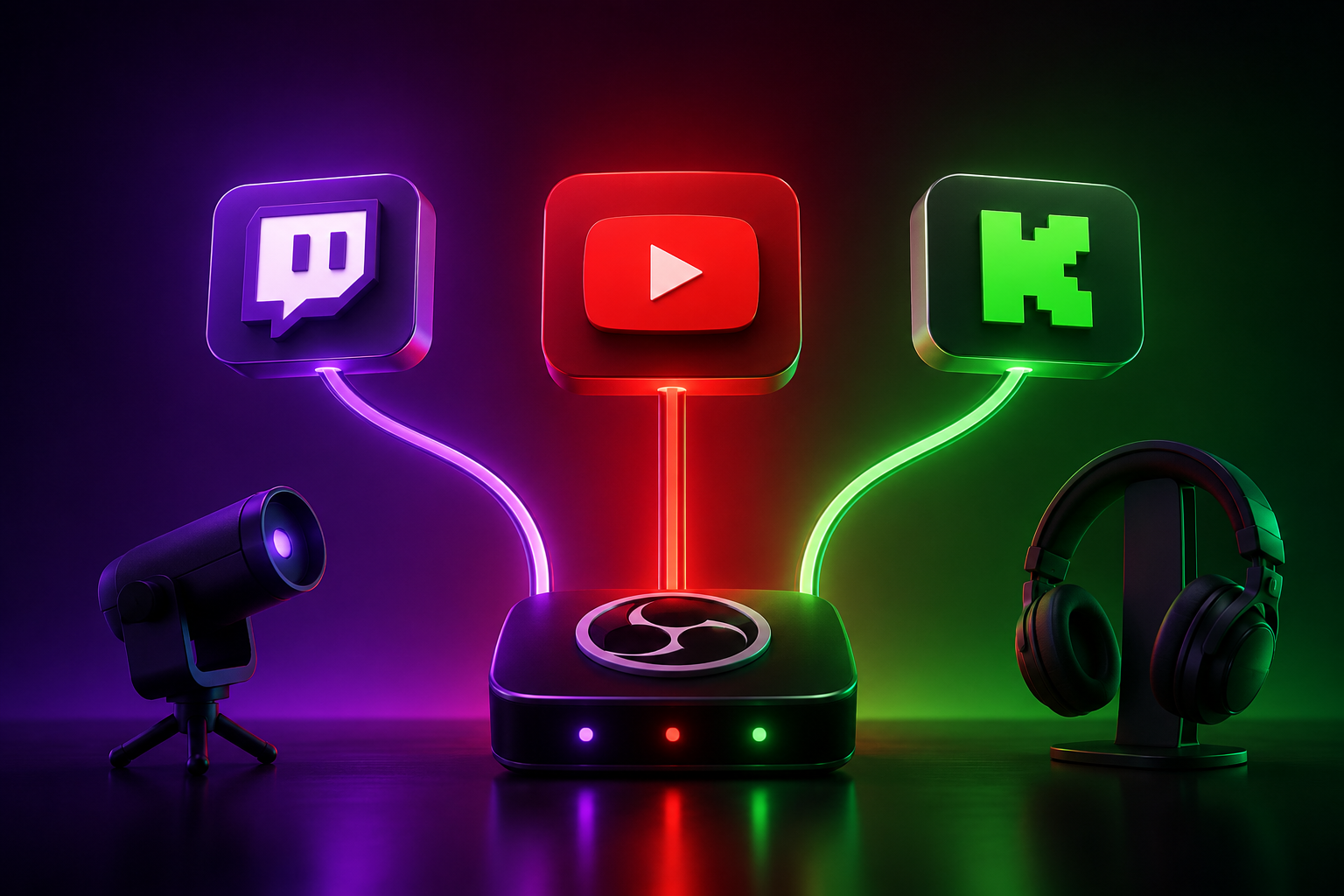

Have you ever dreamt of reaching more viewers, building a bigger community, and amplifying your voice across all the major streaming platforms at once? It’s a powerful vision, isn’t it? The idea of effortlessly connecting with audiences on Twitch, YouTube, and Kick simultaneously is incredibly appealing, promising exponential growth and a much wider reach. But then that nagging question creeps in: How do I multi-stream across Twitch, YouTube, and Kick without stepping on any landmines, especially with Twitch’s notoriously strict guidelines?
It’s a genuine worry that many dedicated creators share, a puzzle that seems to have a thousand pieces. You pour your heart and soul into your content, and the last thing you want is to jeopardize your partnership with a platform that’s been a significant part of your journey. This guide is here to unravel that complexity, offering you a clear, empathetic path forward so you can chase that multi-platform dream with confidence and compliance.
What is Multistreaming and Why is it Essential for Growth?
Multistreaming, at its core, is the practice of broadcasting your live content to multiple streaming platforms concurrently. Imagine your show playing on Twitch, YouTube, and Kick all at the same time – it’s like having three stages instead of one, instantly multiplying your potential audience. For many creators, it’s not just a technical trick; it’s a strategic imperative.
In today’s crowded digital landscape, growth often means breaking out of a single-platform silo. Multistreaming offers a direct route to discovering new viewers who might prefer YouTube’s interface, Kick’s emerging community, or simply haven’t found you on Twitch yet. It’s about diversifying your audience, reducing reliance on one platform’s algorithm, and ultimately, building a more resilient and expansive creator brand.
The Evolving Landscape: Twitch, YouTube, and Kick Explained
Understanding the unique DNA of each platform is the first step towards a successful multistreaming strategy. Each has its own vibe, audience, and, crucially, its own set of rules. Twitch has long been the undisputed titan of live gaming and “just chatting” content, fostering tight-knit communities with its interactive chat and subscription model. However, its policies can often feel like walking on eggshells for creators.
YouTube Live, on the other hand, benefits from YouTube’s massive global reach and searchability, often drawing a broader audience interested in tutorials, educational content, or longer-form discussions. It offers incredible discoverability and powerful monetization tools. Then there’s Kick, the bold newcomer, which has quickly gained traction by actively promoting creator-friendly policies, especially when it comes to multistreaming and revenue splits, presenting a stark contrast to its competitors.
Twitch’s Simulcasting Guidelines: Staying Compliant and Protecting Your Partnership
This is often the trickiest part of the multi-streaming puzzle, causing the most anxiety for creators. Twitch’s guidelines, particularly for Affiliates and Partners, are designed to protect their ecosystem and ensure exclusivity, which can feel incredibly restrictive when you’re just trying to grow. The fear of getting that dreaded email or, even worse, a quiet, unexplained dip in visibility, is very real.
It’s not just about what’s written on paper; it’s about the *spirit* of the rules and how Twitch’s enforcement can sometimes feel dynamic and unpredictable. You’ve worked hard to earn your Affiliate or Partner status, and protecting that relationship is paramount. Let’s dive into what you absolutely need to know.
Understanding the Twitch Affiliate and Partner Agreements (Latest Interpretation)
At the heart of Twitch’s concerns is the “simulcasting” clause within their Affiliate and Partner agreements. For the longest time, these agreements practically forbade broadcasting your content live on any other platform *at the same time* as Twitch. This exclusivity was a major hurdle for creators looking to expand. However, Twitch did update its policy in August 2022, offering a bit more breathing room, but it’s still far from a free-for-all.
The latest interpretation clarifies that creators *can* now simulcast to other live streaming services. But here’s the crucial caveat: you cannot provide a “materially worse experience” on Twitch compared to other platforms. This vague wording leaves a lot open to interpretation and demands careful consideration.
Key Restrictions: Exclusive Content, Monetization, and Ad Experience (Including Real-World Enforcement Risks)
The “materially worse experience” clause directly impacts several areas. You can’t, for example, intentionally delay your Twitch stream while broadcasting instantly elsewhere, nor can you restrict features or interactions on Twitch that are available on your other streams. The worry here is that any perceived slight, even unintentional, could be flagged.
Monetization is another sensitive point. While Twitch doesn’t explicitly forbid Super Chats on YouTube while you’re also live on Twitch, the overall sentiment is to prioritize the Twitch viewer experience. The biggest concern lies with advertisements. You are *not* permitted to run third-party ads or sponsored content on other platforms during your Twitch broadcast if those ads conflict with Twitch’s own advertising policies or directly compete with Twitch’s core monetization efforts. This means no promoting other subscription services or direct competitors in a way that undermines Twitch.
The real-world enforcement risks are what truly keep creators up at night. While Twitch might not hand out explicit bans for minor infringements, there’s evidence that creators have faced “quiet punishments.” This could manifest as reduced discoverability, fewer raid opportunities, or even a subtle shift in how your content is pushed to viewers, without any direct notification. It’s a chilling thought for anyone relying on the platform for their livelihood.
Best Practices to Avoid Violations and Penalties (And How to Stay Updated)
To navigate these waters safely, vigilance and smart practices are your best defense. Always read the *full* official Twitch simulcasting guidelines, not just summaries. When in doubt, err on the side of caution. Prioritize your Twitch audience: ensure their chat experience is seamless, that any interactive elements are equally available, and avoid mentioning or actively directing viewers to other platforms during your Twitch-focused segments.
If you decide to run ads, make sure they align with Twitch’s terms. The safest bet is to keep third-party advertisements completely separate from your simulcast if there’s any ambiguity. Policies are dynamic, so make it a habit to check Twitch’s official help pages monthly. Joining creator communities and forums can also provide real-time insights into how policies are being interpreted and enforced by fellow streamers.
Mastering Multistreaming: Methods, Essential Tools, and Performance Optimization
Once you’ve wrapped your head around the compliance side, the next step is the exciting challenge of actually making multistreaming work technically. This isn’t just about pushing a button; it’s about creating a stable, high-quality broadcast across all your chosen platforms. The thought of dealing with software, settings, and potential internet hiccups can feel overwhelming, but with the right approach, it’s entirely manageable.
The core pain point for many is performance. “Will my PC handle it?” “Will my stream look choppy?” These are valid concerns that we’ll tackle head-on.
Choosing Your Multistreaming Path: Cloud-Based, Software, or Hardware Solutions?
There are three main avenues to multistreaming, each with its own advantages and drawbacks:
1. Cloud-Based Services: These are often the easiest to set up. You stream once to their server, and they handle the re-distribution to all your chosen platforms. This offloads the heavy lifting from your computer, making it ideal if your internet upload speed or PC specs are a bottleneck.
2. Software Solutions/OBS Plugins: This involves using streaming software like OBS Studio with built-in multistreaming features or specific plugins. It gives you maximum control over your stream, but it demands more from your computer’s CPU and internet bandwidth.
3. Hardware Encoders: For the most professional and robust setup, a dedicated hardware encoder can take a single video signal and send it to multiple destinations. This is often the most expensive option and is typically reserved for large-scale productions or those who need absolute reliability.
Your choice will depend on your budget, technical comfort, and current hardware capabilities.
A Comparative Review: Leading Multistreaming Solutions (e.g., Restream, Streamlabs, Upstream, OBS Plugins)
Let’s look at some popular options, knowing that an “unbiased” comparison depends heavily on your specific needs:
Restream.io: This is a leading cloud-based service, known for its user-friendly interface and robust platform support. It allows you to stream to dozens of platforms with ease, offers a unified chat, and even has analytics. The pricing scales with features, but it significantly reduces your local PC load.
Streamlabs Desktop: While a full streaming suite, Streamlabs also offers built-in multistreaming capabilities. It’s an all-in-one solution that many creators already use, so adding multistreaming can be a seamless integration. However, it relies on your local PC resources, similar to a standard OBS setup.
Upstream.so: This newer player focuses on simplifying the multistreaming experience with a clean interface and strong support for various platforms, including Kick. Like Restream, it’s cloud-based, reducing the strain on your local machine and internet.
OBS Plugins (e.g., Multiple RTMP Outputs): For the truly DIY enthusiast, OBS Studio offers plugins that let you send your stream to multiple RTMP destinations directly from your computer. This is free but requires more technical know-how and places the highest demand on your CPU and upload speed. It’s a great option if you have a powerful gaming rig and a lightning-fast internet connection.
Each solution has its merits, but remember: the best one is the one that fits your workflow and technical infrastructure without causing you headaches.
Optimizing Technical Performance: Bitrate, CPU Load, and Internet Stability for a Seamless Stream
Technical issues are the ultimate dream-killer for any multistreamer. Nothing frustrates viewers more than a choppy stream or constant buffering. You need to confront the dreaded CPU spike and bitrate battles head-on to avoid those embarrassing moments.
CPU Load: Sending one stream is taxing; sending multiple simultaneously can bring even powerful PCs to their knees. If using a software solution (like OBS with plugins), reduce your in-game graphics settings, use hardware encoders (NVENC for Nvidia, AMF for AMD), and close unnecessary background applications. Cloud-based services largely circumvent this, as they only require one strong upload to their server.
Bitrate: For each platform, you’ll need to send a video stream. While cloud services manage the multiple outgoing streams, if you’re sending directly from OBS, you’re sending *one* high-bitrate stream from your PC that then gets split or you’re encoding *multiple* streams. Ensure your upload speed can comfortably handle your chosen bitrate *plus* a buffer. A common recommendation for a single 1080p 60fps stream is 4500-6000 kbps, so imagine the demand for multiple!
Internet Stability: This is non-negotiable. A strong, stable internet connection with ample upload bandwidth is the backbone of successful multistreaming. Use an ethernet cable – Wi-Fi is simply too unreliable for live broadcasting. Run speed tests regularly to monitor your upload speed, and consider upgrading your internet package if you consistently hit performance ceilings. A fiber optic connection is gold standard if available in your area.
Platform-Specific Setup: Multistreaming to Twitch, YouTube, and Kick
Now that we’ve covered the ground rules and technical backbone, let’s get down to the nitty-gritty of setting up each platform. This is where the rubber meets the road, transforming your theoretical knowledge into a live, multi-platform broadcast.
Configuring OBS (or preferred software) for Multiple Outputs
For those using OBS Studio or similar software locally, the key is to set up multiple output streams.
Dedicated Plugins: The “Multiple RTMP Outputs” plugin for OBS is a popular choice. It allows you to add several “Custom Output” entries, each with a different RTMP server URL and stream key for your platforms. This means OBS will encode your stream once and then send it to multiple destinations.
Cloud Service Integration: If you’re using a cloud-based multistreaming service like Restream or Upstream, you only need to configure OBS to send *one* stream to *their* server. They handle the rest, making this approach much simpler from the OBS configuration standpoint.
Always test your settings with a private stream first! This saves you the embarrassment of going live to the world with a misconfigured stream.
Connecting to Twitch: Stream Key and Server Settings
Connecting to Twitch is fairly straightforward, but precision is key.
Stream Key: Find your unique stream key in your Twitch Creator Dashboard under Settings > Stream. Keep this key private! Sharing it means anyone can stream to your channel.
Server Settings: In OBS, select Twitch as your service. OBS usually auto-detects the best server, but you can manually choose one closest to your location for better stability. Remember the “materially worse experience” rule: ensure your Twitch stream settings (bitrate, resolution) are top-tier.
Don’t forget to enable VODs in your Twitch settings if you want your past broadcasts to be archived for viewers who missed the live show.
Integrating YouTube Live: Specific Policies, Setup, and Monetization Options (Super Chat, Memberships)
YouTube Live is a fantastic platform for expanding your audience and offers robust monetization options that can complement your Twitch earnings.
YouTube Live Setup: Go to YouTube Studio, click “Go Live,” and schedule a stream or start immediately. You’ll get a unique stream key and RTMP URL. Input these into your multistreaming software or cloud service. YouTube often prefers higher bitrates, so aim for quality if your internet allows.
Specific Policies: While YouTube is generally more lenient about simulcasting than Twitch, always be mindful of their Community Guidelines and Copyright policies. Content ID strikes can impact your ability to stream, so ensure your music, videos, and game content are cleared for broadcast.
Monetization: YouTube’s Super Chat and Super Stickers allow viewers to pay to highlight their messages, and Channel Memberships offer recurring revenue. These can run concurrently with your Twitch stream without directly violating Twitch’s “materially worse experience” rule, as they don’t replace Twitch’s core monetization (subscriptions, bits) but rather offer an alternative form of support on a different platform. Just ensure you’re not actively *promoting* YouTube’s monetization features on your Twitch stream.
Adding Kick: Leveraging its Pro-Multistreaming Environment and Partner Program
Kick has emerged as a refreshing option for streamers, largely due to its creator-first approach, particularly regarding simulcasting.
Kick Setup: Head to your Kick Creator Dashboard, find your stream key and RTMP URL, and plug them into your multistreaming solution. Kick generally has straightforward technical requirements, making it easy to integrate.
Pro-Multistreaming Stance: This is Kick’s standout feature. Unlike Twitch, Kick explicitly allows and even encourages multistreaming, making it an ideal platform to include in your multi-platform strategy. Their terms are much more forgiving, reducing a lot of the compliance stress you might feel with Twitch.
Partner Program: Kick also offers an attractive 95/5 revenue split for subscriptions, which is significantly more favorable to creators than most other platforms. This makes building a community and monetizing on Kick very appealing, especially when combined with your existing platforms. Leverage this freedom to explore new content ideas or engagement methods you might have hesitated to try on more restrictive platforms.
Advanced Strategies for Success: Engagement, Monetization, and Community Building
Setting up the technical side is only half the battle. The true art of successful multistreaming lies in seamlessly managing the human element. How do you make everyone feel seen and valued when they’re spread across three different chat rooms? It’s a common dilemma, a challenging balancing act that can feel like trying to juggle flaming torches.
Mastering Cross-Platform Audience Engagement and Unified Chat Management
This is where the magic happens – or where it all falls apart. Feeling pulled in a dozen directions, missing a question on one chat, or struggling to maintain a cohesive conversation across platforms can be incredibly frustrating.
Unified Chat Tools: Services like Restream Chat, Streamlabs (with their chat overlay), or even dedicated applications like StreamElements provide a single, consolidated chat window. This lets you see messages from Twitch, YouTube, and Kick all in one place, making it much easier to respond in real-time.
Dedicated Chat Moderator: If your community is large enough, consider having a dedicated moderator for each platform or one super-mod managing the unified chat. Their role is invaluable in filtering spam, answering basic questions, and highlighting important messages you might miss.
Acknowledge All Platforms: Regularly give shout-outs to each platform. “Hey Twitch, great question!” or “Thanks for the Super Chat, YouTube!” makes viewers feel included. Don’t ignore one platform in favor of another.
Maximizing Monetization Across Multiple Platforms While Multistreaming
Monetization isn’t just about income; it’s about validating your hard work. When multistreaming, you have the opportunity to diversify your income streams, but you need to do it smartly to avoid Twitch’s wrath.
Platform-Specific Strengths: Leverage each platform’s unique monetization tools. Encourage Twitch subscriptions and Bits, utilize YouTube’s Super Chats and Memberships, and highlight Kick’s favorable subscription split.
Donation Links: A universal donation link (e.g., through Streamlabs or PayPal) can be a great way for viewers on *any* platform to support you directly, circumventing platform-specific restrictions while still offering a way for your audience to show their appreciation.
Merchandise and Sponsorships: These are universal income streams that aren’t tied to any single platform’s rules. Promote your merch store or mention your sponsors across all your streams. This is a powerful, compliant way to boost your earnings.
Building a Cohesive Community Across Disparate Platforms
Your community is your bedrock. The challenge is making viewers on Twitch feel connected to those on YouTube and Kick, preventing a fragmented experience.
Discord Server: Create a central Discord server for your entire community. This is a neutral ground where everyone, regardless of their preferred streaming platform, can connect, chat, share memes, and get updates. Promote your Discord prominently on all streams.
Cross-Platform Events: Organize events or polls that involve all your viewers. For example, “Vote on the next game in Discord!” or “What do you think, YouTube and Kick, compared to Twitch?” This fosters a sense of unity.
Consistent Branding: Maintain a consistent brand identity (overlays, emotes, personality) across all platforms. When viewers see your recognizable face or logo, they’ll feel at home, no matter where they found you.
Conclusion: Elevate Your Multistreaming Game with Confidence and Compliance
Stepping into the world of multistreaming can feel like a huge leap, fraught with worries about complex tech and policy pitfalls. But with the right knowledge, tools, and a healthy dose of vigilance, it’s a strategy that can truly transform your creator journey. You can expand your reach, diversify your income, and build a more robust, engaged community without living in constant fear of violating guidelines. It’s about taking control of your future as a creator, making smart choices, and focusing on delivering the best content possible to an ever-growing audience.
Navigating the nuances of Twitch’s policies while leveraging the opportunities on YouTube and Kick requires a thoughtful approach, but the rewards are well worth the effort. For creators looking to not only expand their reach but also optimize their marketing and advertising strategies across these platforms, seeking expert guidance can make all the difference. When it comes to truly understanding multi-channel digital strategies and connecting with your audience effectively, NexTech Ads offers invaluable insights and solutions to elevate your presence and ensure your growth isn’t just broad, but also deeply impactful.